Daytona Spin on Mobile: Home-Screen Casino for Android and iOS
There is no native app to download from Google Play or the App Store. The Daytona Spin casino runs in your mobile browser and installs as a home screen shortcut in under a minute, which gives you the full lobby, live tables, promotions and cashier on your phone. The account, balance and bonuses are the same ones you use on desktop, and new players can still claim the Welcome Pack of 430% up to £14,300 plus 430 free spins. Android and iPhone setup steps are below.
MOBILE WELCOME PACK 430% up to £14,300 + 430 FS
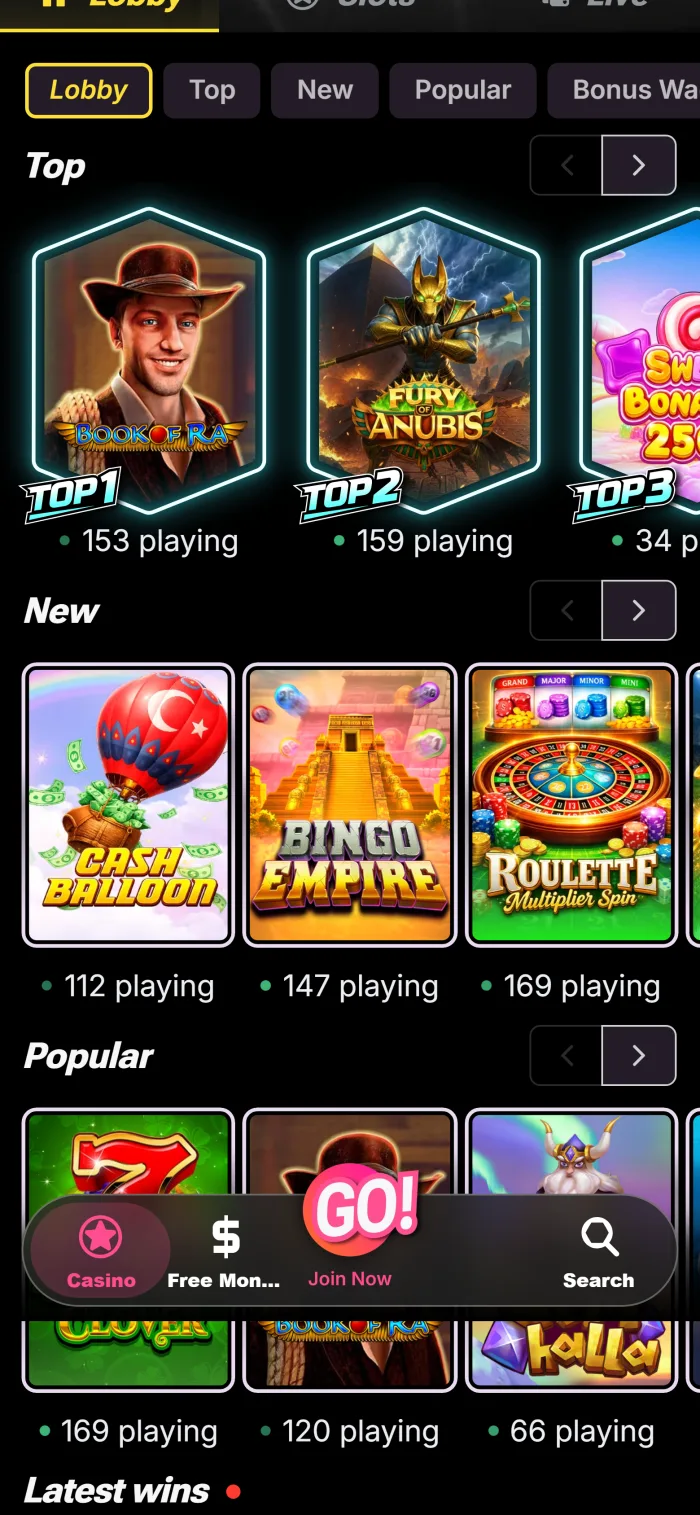
Mobile Access at a Glance
What you get on a phone or tablet, and what the shortcut needs to work.
| Access type | Mobile site plus a home screen shortcut, no store download |
| Android browsers | Chrome, Samsung Internet |
| iOS browsers | Safari, Chrome |
| Minimum Android version | 6.0 Marshmallow |
| Minimum iOS version | 13.0 |
| Cost | Free |
| Account currency | GBP (£), crypto also supported |
| Updates | Automatic, the shortcut loads the current site on every launch |
How to Add Daytona Spin on Android
No APK file is involved, and nothing is installed from a third party site. The whole job happens inside your browser.
Open Chrome or Samsung Internet
Launch the browser on your Android phone or tablet. An up to date browser makes the install option appear reliably.
Go to the casino site
Type the official address or follow a link from this page, then wait for the lobby to load.
Open the browser menu
Tap the three dot icon in the top corner of Chrome, or the menu button in Samsung Internet.
Choose Add to Home screen
Some browser versions label this Install app. Both put the same shortcut on your home screen.
Confirm and open the icon
Tap Add, find the new Daytona Spin icon on your home screen and log in or register from it.
Android Requirements
The shortcut runs in the browser, so the requirements are modest.
| Requirement | Minimum specification |
|---|---|
| Android version | 6.0 (Marshmallow) or higher |
| Browser | Chrome or Samsung Internet |
| RAM | 2 GB |
| Free storage | Minimal, the shortcut stores almost nothing |
| Internet | Wi-Fi or mobile data |
Fixing Common Android Issues
Most problems come from browser settings or an old shortcut.
- No Add to Home screen option: update Chrome, or try Samsung Internet, and make sure you opened the official site.
- The icon opens a browser tab instead of a full screen app: delete the shortcut and add it again through the browser menu.
- The page will not load: check Wi-Fi or mobile data, then reload the lobby.
- Still stuck: open live chat from the mobile site and describe what the screen shows.
How to Add Daytona Spin on iPhone and iPad
The App Store is not involved on iOS either. Safari builds the shortcut for you in four taps.
Open Safari
Launch Safari on your iPhone or iPad. Chrome works too, through its own share menu.
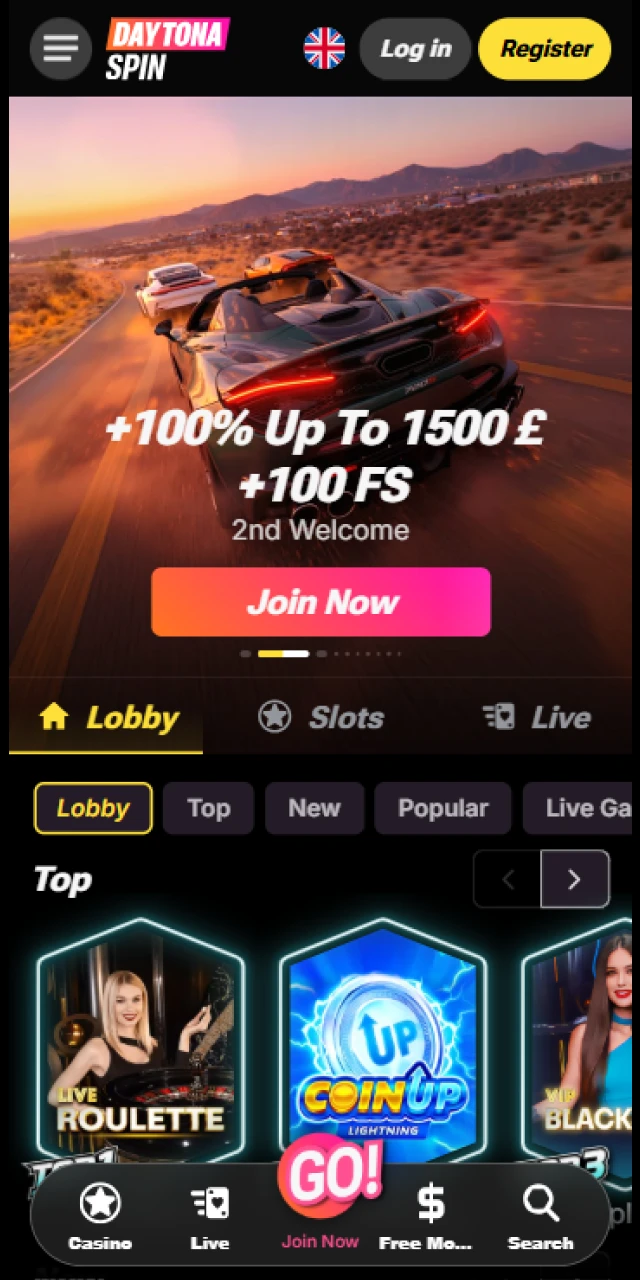
Go to the casino site
Open the official address and let the lobby finish loading before the next step.
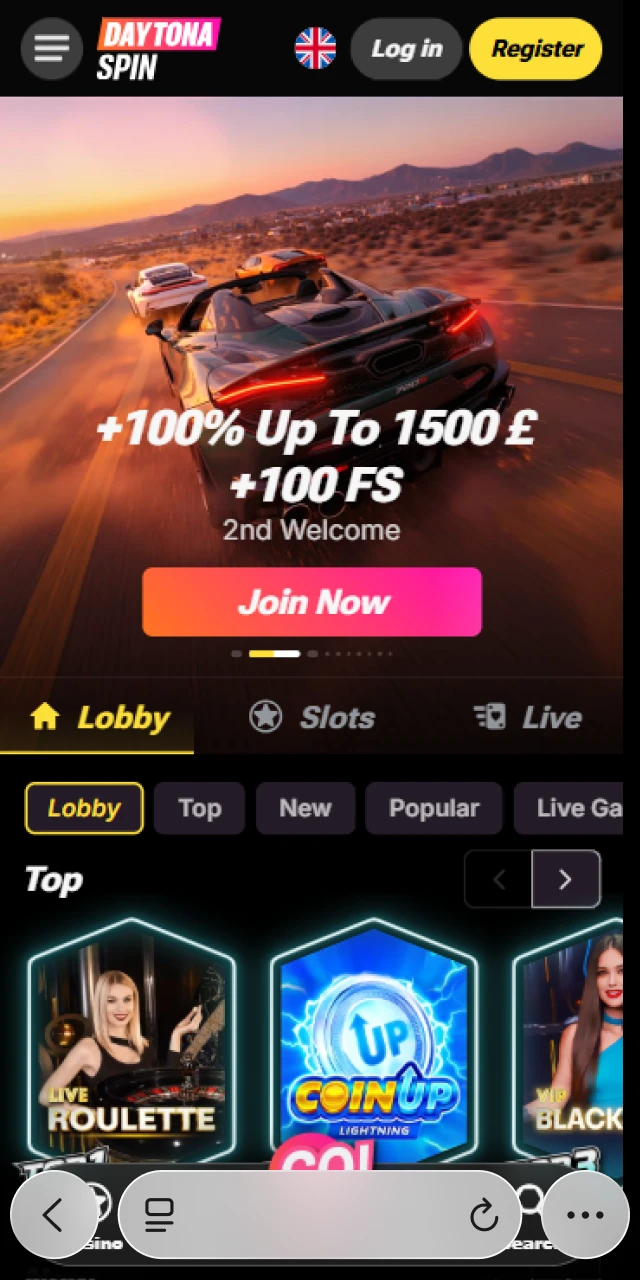
Tap the Share icon
In Safari the Share button sits at the bottom of the screen; in Chrome it is next to the address bar.
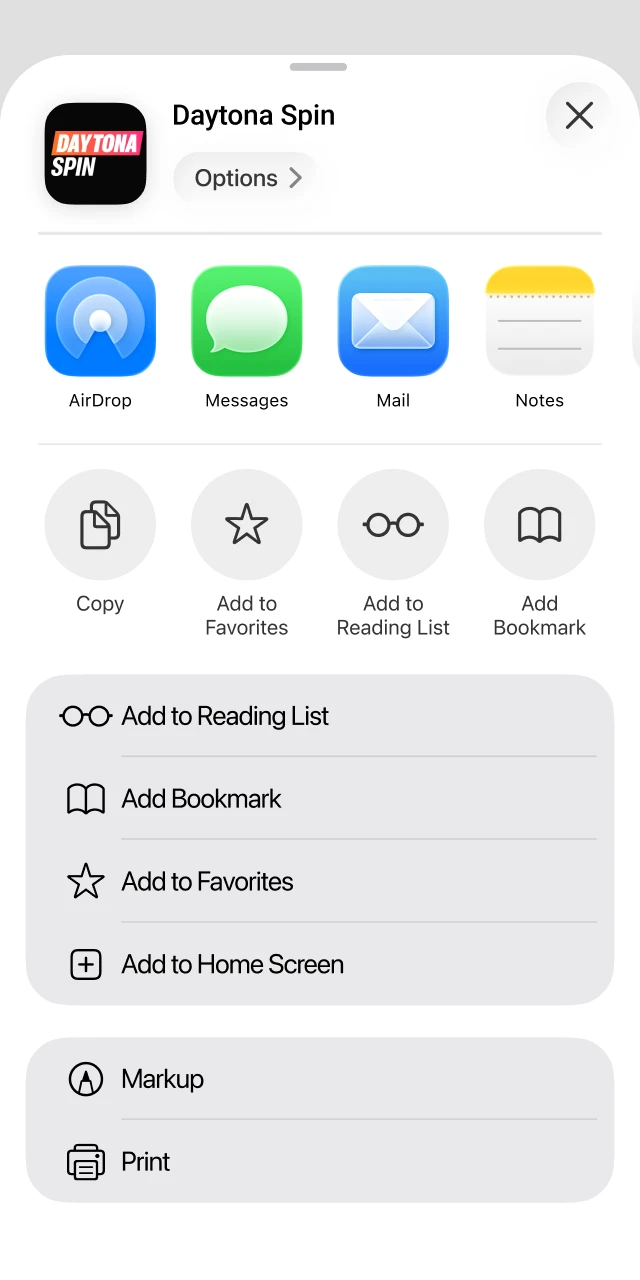
Select Add to Home Screen
Scroll the share menu until you see the option, then tap it.
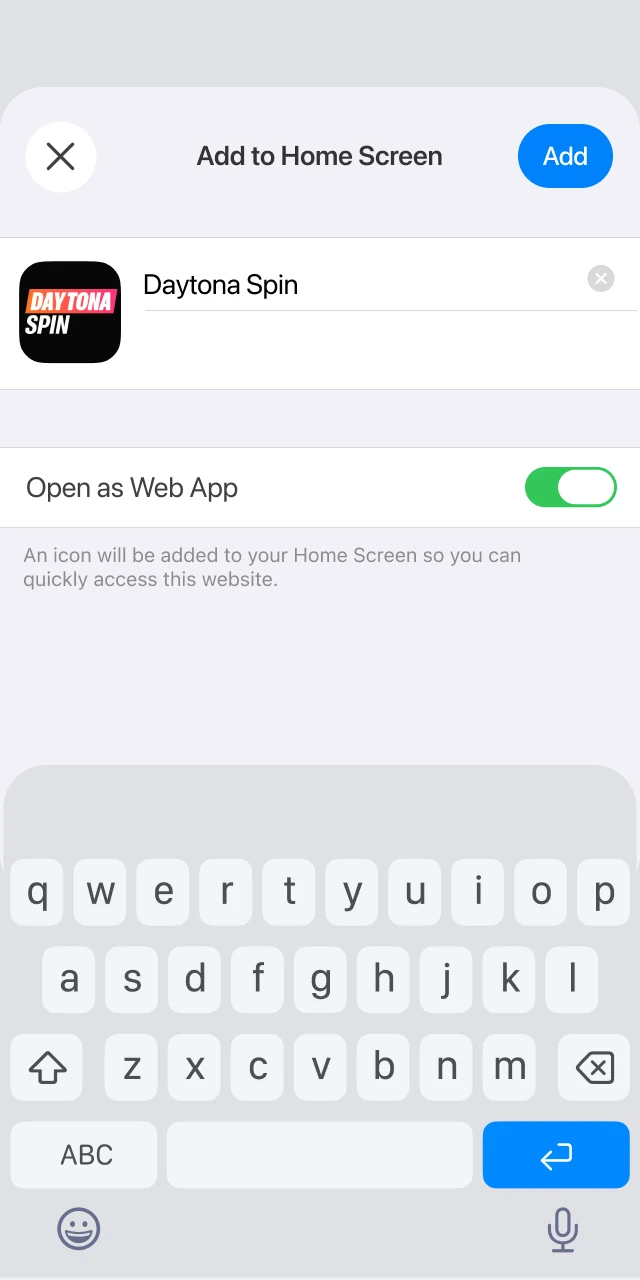
Name the shortcut and add it
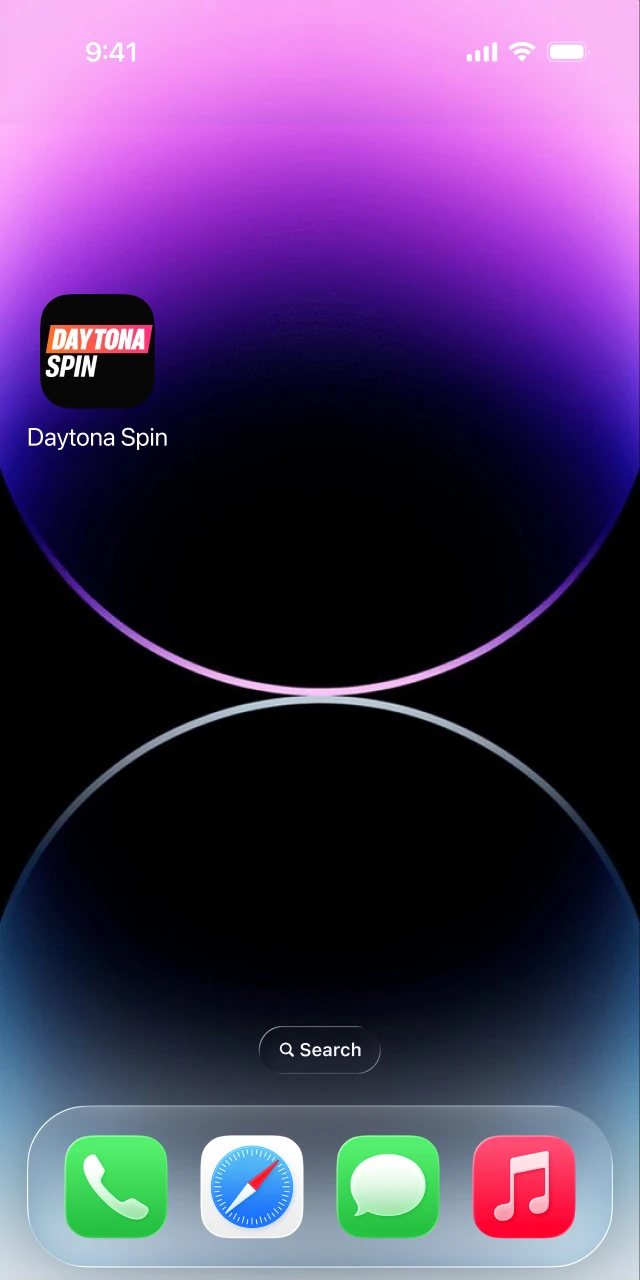
Keep the suggested name or shorten it, tap Add, then open the icon and sign in.
iOS Requirements
Any iPhone or iPad from the last few years handles the casino comfortably.
| Requirement | Minimum specification |
|---|---|
| iOS version | 13.0 or higher |
| Browser | Safari or Chrome |
| Devices | iPhone and iPad |
| Free storage | Minimal, the shortcut stores almost nothing |
| Internet | Wi-Fi or mobile data |
Why There Is No APK or App Store Download
A browser based casino avoids the weak points of an installed app. Nothing takes up storage, there is no waiting for a new build after every change, and the shortcut always opens the current version of the site. It also removes the biggest risk around a Daytona Spin app: files advertised as an official APK on third party sites are not published by the casino, and installing one means trusting a stranger with your phone and your login. If a page offers you an APK download, close it and use the browser instead.
Mobile Shortcut vs Desktop Site
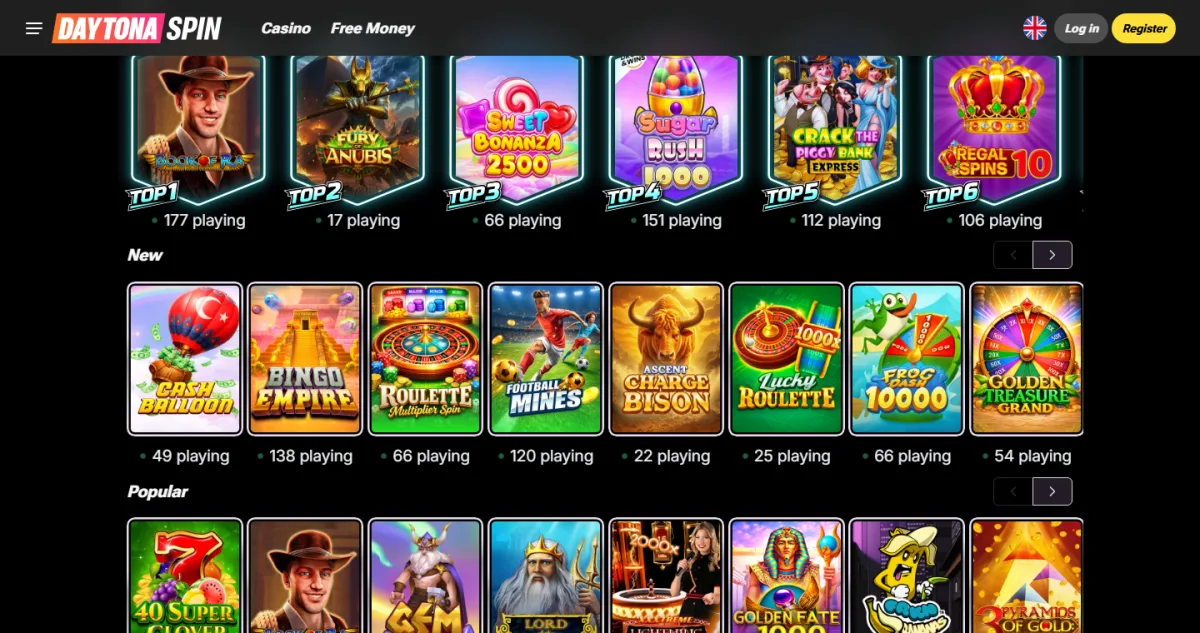
One account covers every device, so you can start a session on a laptop and finish it on the bus. The differences are small and mostly about convenience.
| Feature | Home screen shortcut | Mobile website | Desktop |
|---|---|---|---|
| Installation | Add to Home Screen, a few taps | None | None |
| Full game library | Yes | Yes | Yes |
| Cashier | Yes, including Apple Pay and Google Pay | Yes | Yes |
| Bonuses and VIP | Same offers and level | Same offers and level | Same offers and level |
| Live chat | Yes | Yes | Yes |
| Push notifications | Where the browser allows them | Limited | Limited |
Casino Games on Your Phone
Slots are built for a portrait screen, so spins, autoplay and bonus buys all sit under your thumb. Live dealer tables stream in the same quality as on desktop and keep the chat window, which is where a stable connection matters most: switch to Wi-Fi before joining a table if your signal is patchy. Crash and instant games suit short sessions because a round lasts seconds. Many titles open in demo mode on mobile too, so you can test a game before staking. Use the lobby filters by category or provider instead of scrolling, and the search box when you know the title.
Sign Up and Log In from Your Phone
Creating an account on mobile takes the same short form as on desktop, and the full walkthrough is on the Daytona Spin registration page.
- Open the shortcut or the mobile site and tap Register.
- Enter your email and create a password of 6 to 32 characters with upper and lower case letters and a number.
- Confirm you are 18 or over and accept the Terms of Service and Privacy Policy.
- Tap Next Step, finish the short form and confirm your email.
Returning players tap Log in and enter the same email and password. There is no social sign in, so a password manager on your phone is worth setting up.
Mobile Welcome Pack and VIP Rewards
Offers do not change between devices. A first deposit of £25 from your phone activates the Welcome Pack of 430% up to £14,300 plus 430 free spins on Snoop Dogg Dollars, and a crypto deposit of 30 USDT unlocks the 140% up to 1,600 USDT offer with 140 free spins. Deposit bonuses carry 35x wagering over 7 days with a maximum bet of £5 while one is active. VIP levels, Monday cashback and Tuesday rakeback all count play from mobile, so nothing is lost by playing away from a desktop. Full conditions are on the Daytona Spin bonus page.
Deposits and Withdrawals on Mobile
The cashier works exactly as it does on desktop, with two methods that feel better on a phone: Apple Pay and Google Pay confirm a deposit with a fingerprint or face scan. Cards, Skrill, Revolut and the crypto options are all there as well, and deposits are credited instantly. Payouts start in the same cashier, go back to the method you used where possible, and wait for identity verification before the first one is released. Method lists and minimums are covered on the deposit methods page.
- Cards and wallets: Visa, Mastercard, Skrill, Revolut, Apple Pay, Google Pay.
- Crypto: Bitcoin, Ethereum, Litecoin, Dogecoin, Tron and Tether.
Staying Safe and Up to Date
The shortcut loads the live site every time it opens, so there is no update to install and no old version to get stuck on. If it ever behaves oddly, delete the icon and add it again in a few taps. Traffic runs over SSL, and the casino never asks for your password by email or chat. Two habits keep a mobile account tidy: lock your phone with a PIN or biometrics, and set deposit or session limits in your profile so a quick game on the sofa stays a quick game. Playing is for adults aged 18 and over.
FAQ
Is there a native app in Google Play or the App Store?
No. Daytona Spin is played in the mobile browser, and the home screen shortcut gives it an app like feel. Any file offered as an official APK elsewhere is not published by the casino.
Is the home screen shortcut free?
Yes. Adding it costs nothing and uses almost no storage, because the icon points to the mobile site rather than installing a separate program.
Can I use the same account on my phone and computer?
Yes. The account is tied to your email and password, not to a device. Sign in anywhere and your balance, bonuses and VIP level follow you.
Can I claim the welcome bonus on mobile?
Yes. Register and deposit from your phone and the Welcome Pack of 430% up to £14,300 plus 430 free spins credits automatically, exactly as on desktop.
Does the shortcut work on tablets?
Yes. It works on iPads running iOS 13.0 or later and on Android tablets running Android 6.0 or later, with the lobby laid out for the larger screen.
What should I do if the shortcut stops opening?
Delete the icon and add it again through the browser menu. If the site itself will not load, check your connection, then contact live chat from the mobile site.
Updated: