Daytona Spin Registration: Open Your Account in a Minute
Signing up at the Daytona Spin online casino needs an email address, a password and about a minute of your time. The account runs in pounds, registration is open to players aged 18 and over, and the Welcome Pack of 430% up to £14,300 plus 430 free spins waits on your first deposit of £25. Below are the requirements, the form step by step, what verification involves and how to fix the problems that trip people up.
NEW PLAYER OFFER 430% up to £14,300 + 430 FS
Account Requirements at a Glance
Check these details before you open the form, because two of them stop sign ups more often than anything else: the age rule and the password format.
| Minimum age | 18 years |
| Country | United Kingdom, outside the restricted list |
| Account currency | GBP (£), crypto supported in the cashier |
| Sign-up method | Email and password, no social login |
| Password rules | 6 to 32 characters, upper and lower case, at least one number |
| Welcome offer | 430% up to £14,300 + 430 free spins |
| Minimum first deposit | £25 |
| Verification | Required before your first withdrawal |
One account per person is allowed, and the name on your account has to match the documents you will send for verification later.
How to Register Step by Step
The sign up form is short and splits over a couple of screens. Have your email open in another tab, because the account is only active once you confirm it.
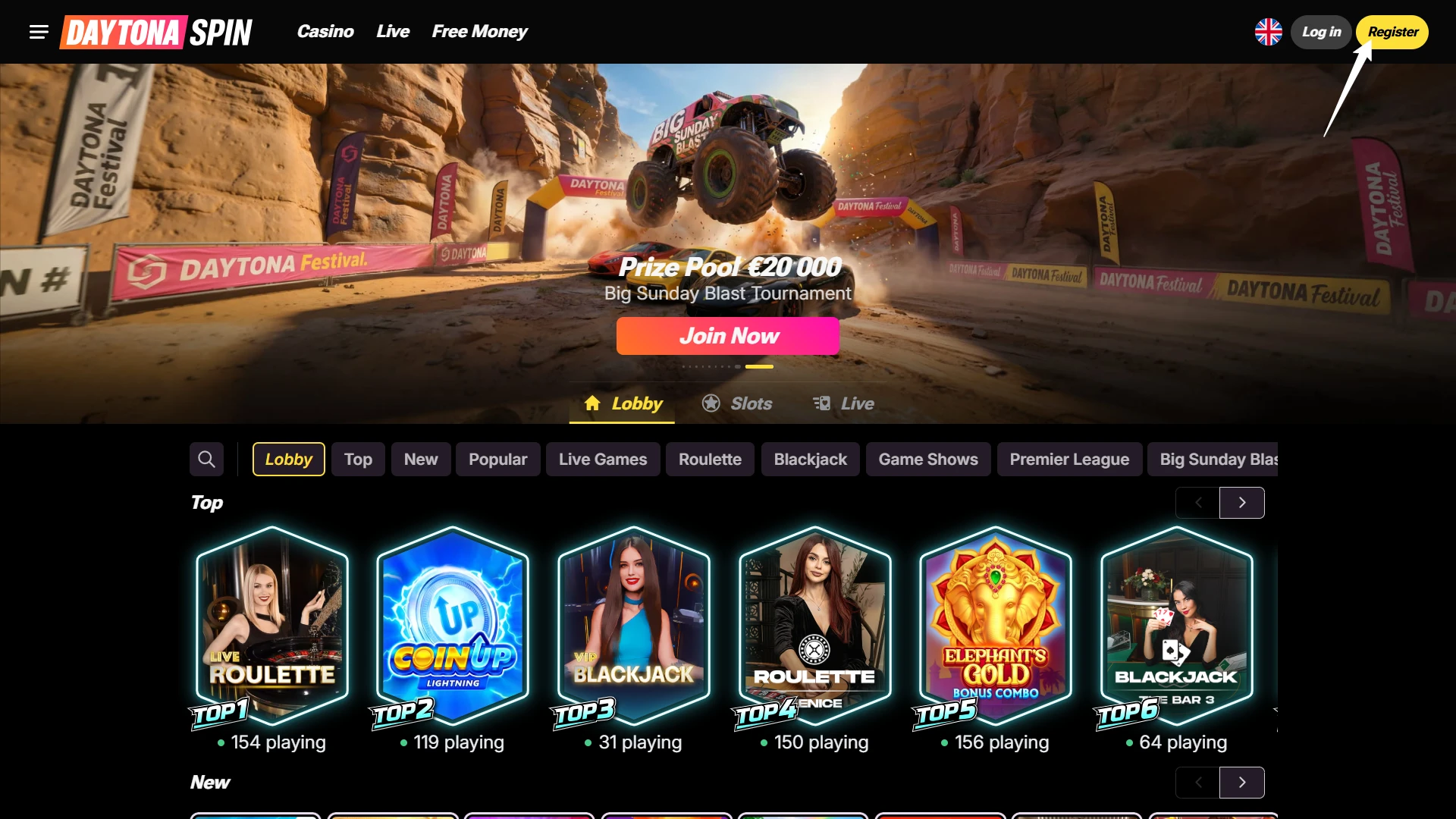
Open the registration form
Select Register in the header, or Join Now on any bonus banner. The banner shows the current offer, so you can see what your first deposit will trigger.
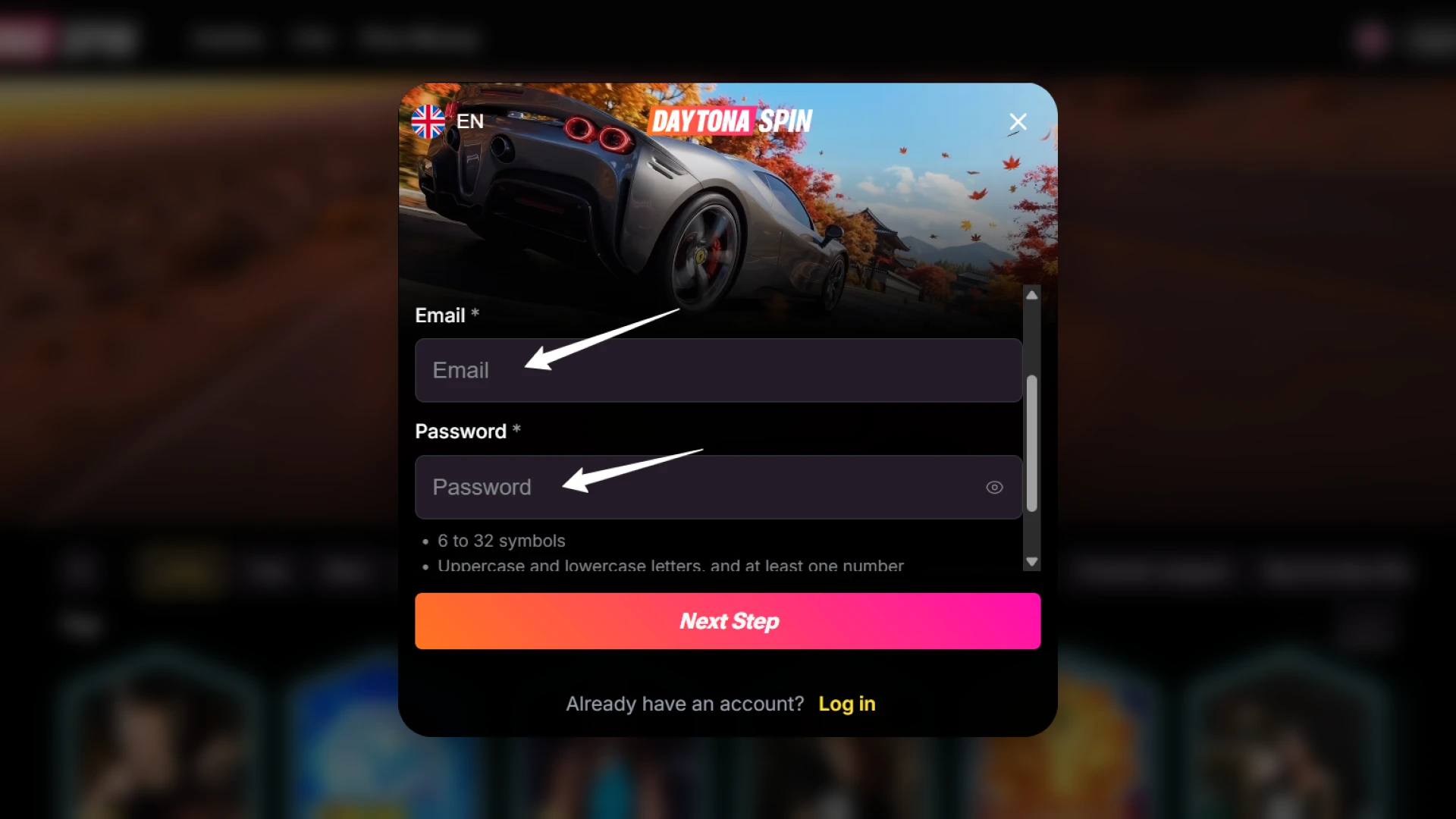
Enter your email and create a password
Type an address you can access right away: it becomes your login. The password needs 6 to 32 characters with upper and lower case letters and at least one number, and the eye icon shows what you typed. Tick the box confirming you are 18 or over and accept the Terms of Service and Privacy Policy, then select Next Step.
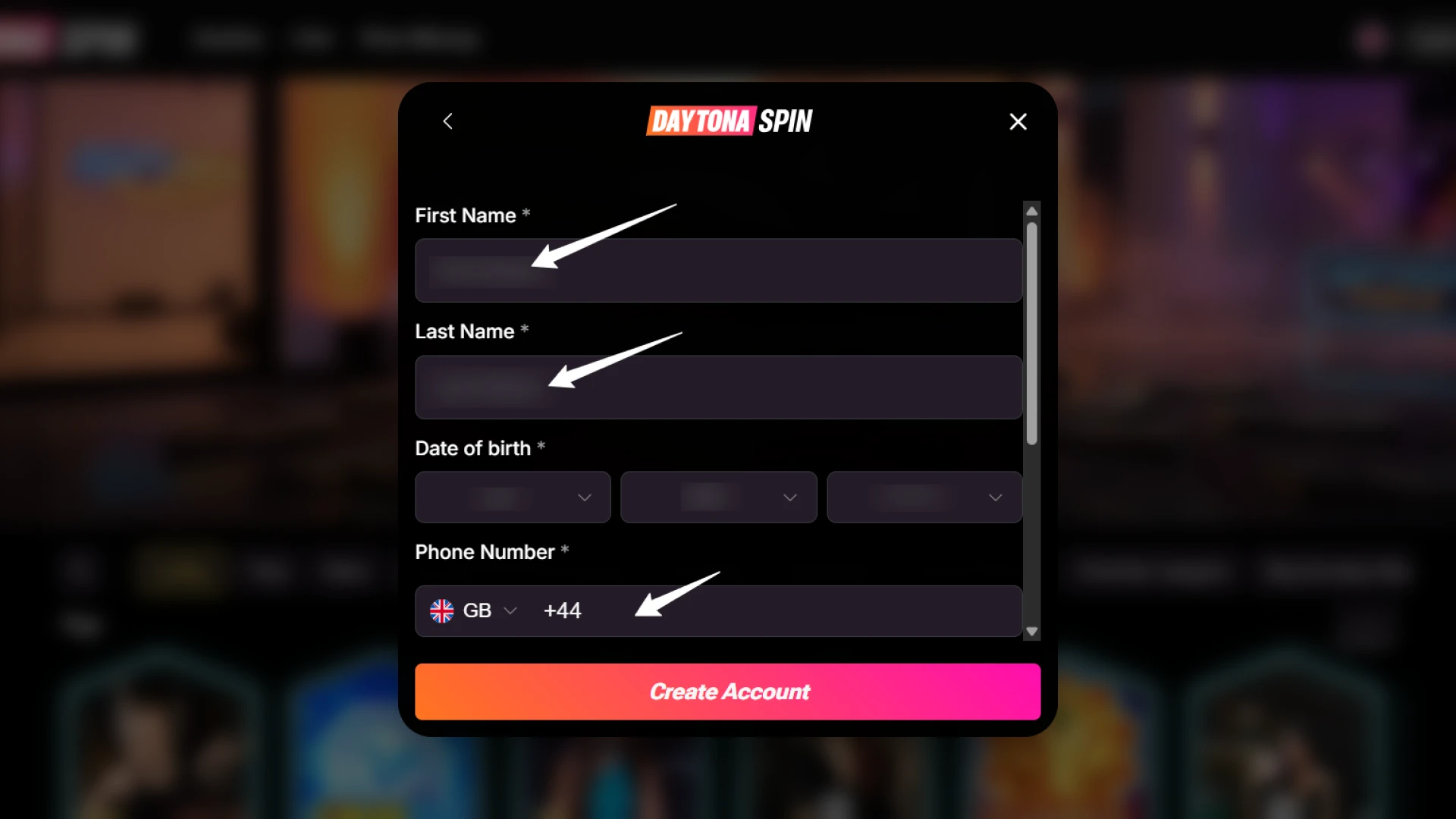
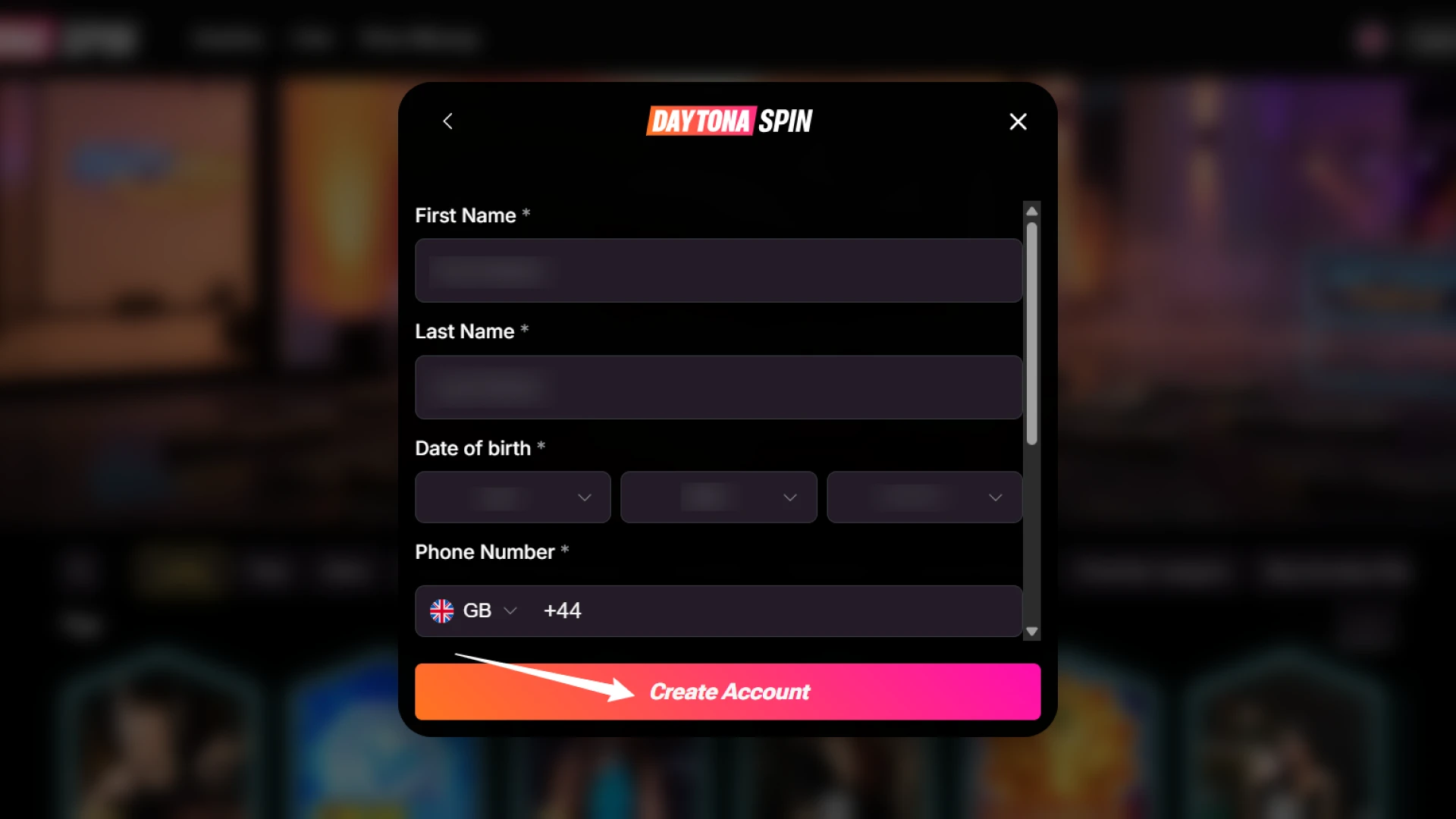
Fill in your personal details
The second screen asks for your name, date of birth and phone number with the GB country code. Use the details that appear on the documents you will send for verification later.
Confirm your account
Finish the form and follow the link in the confirmation email to activate the account. If the message has not arrived in a minute, check your spam folder.
Registering on Your Phone
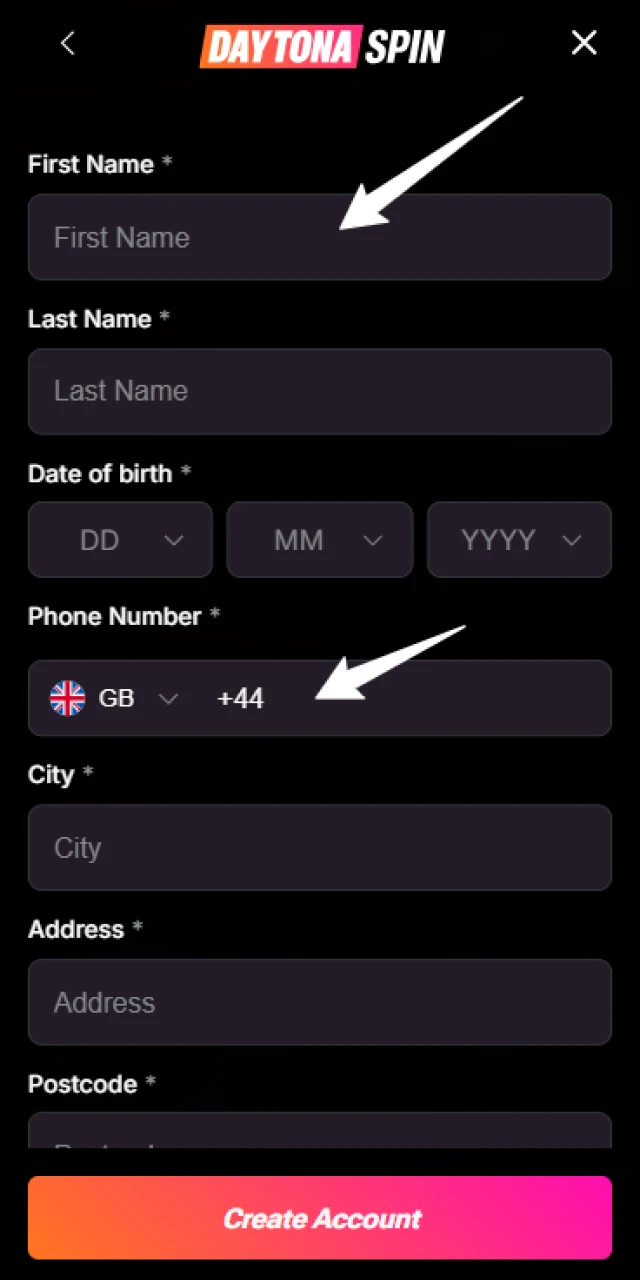
There is no app to install first. The casino works in any modern mobile browser, and the same form appears in the home screen shortcut if you have added one. Setup for Android and iOS is covered on the Daytona Spin app page.
- Open the casino in Chrome or Safari, or launch the shortcut from your home screen.
- Tap Register and enter your email address.
- Create a password that meets the same rules as on desktop.
- Confirm you are 18 or over, accept the terms and finish the short form.
Verifying Your Identity (KYC)
You can browse the lobby and deposit as soon as the account is live, but identity verification comes before your first withdrawal. Documents are also requested once total deposits pass EUR 2,000, or if a transaction looks unusual. Sending them early costs nothing and keeps your first payout moving. The full policy is on the KYC and AML policy page.
- A government issued photo ID such as a passport or driving licence, sometimes both sides.
- A selfie holding that document.
- Proof of address: a bank statement or utility bill, usually dated within the last three months.
Photograph documents in good light with all four corners visible, and make sure the name matches your account exactly.
First Deposit and Welcome Pack
Once the account is active, open the cashier and pick a payment method. A first deposit of £25 or more activates the Welcome Pack: 430% up to £14,300 plus 430 free spins on Snoop Dogg Dollars. No promo code is needed, the bonus credits automatically, and wagering runs at 35x over 7 days with a maximum bet of £5 while it is active. Later deposits open the second, third, crypto and High Roller offers, all listed with their terms on the Daytona Spin bonus page.
Registration Problems and Quick Fixes
Almost every failed sign up comes down to one of the situations below.
| Problem | Fix |
|---|---|
| Confirmation email has not arrived | Check spam and promotions folders, then request the message again from the account screen |
| Password is rejected | Use 6 to 32 characters with upper and lower case letters and at least one number, and avoid spaces |
| This email is already registered | Use the login window and the Forgot your password link instead of creating a second account |
| The form will not submit | Confirm the 18+ and terms box is ticked, then reload the page or switch browser |
| Access blocked in your location | Check the restricted country list on the licence page, and never mask your location to get around it |
Logging In After Sign-Up
From then on, Log in at the top of any page opens the sign in window, where the same email and password take you to your balance, bonuses and history. There is no social or one click sign in. If the password slips your mind, the Forgot your password link sends a reset by email, and the process is covered step by step on the Daytona Spin login page.
Getting Help with Your Account
If the form or the confirmation email refuses to cooperate, live chat in the Support menu is the quickest route and handles account questions directly. Email suits anything involving documents, such as verification, and the help centre covers common topics if you would rather read first. Have your registered email address to hand and describe what the screen shows, including any error text: it saves a round of questions.
FAQ
Can I register if I live in the UK?
Yes. Players from the United Kingdom aged 18 and over can open an account, keep it in pounds and use the English interface. Restricted countries are listed on the licence page.
What makes a valid password?
Between 6 and 32 characters, with upper and lower case letters and at least one number. Avoid reusing a password from another site, and store it in a password manager.
Can I sign up with Google or Facebook?
No. Registration uses an email address and password only. That makes your credentials the single key to the account, so keep them private.
When do I have to verify my identity?
Before your first withdrawal, and also if total deposits pass EUR 2,000 or a transaction is flagged. Prepare a photo ID, a selfie with it and proof of address.
Do I need a promo code when I register?
No. The Welcome Pack activates on a qualifying deposit without a code. A code is only required if a particular promotion asks for one in the cashier.
Can I have more than one account?
No. One account per person is allowed. Duplicate accounts can be closed and bonuses cancelled, so use password recovery instead of signing up again.
Updated: